AI old photo restoration · Coming soon
Bring old moments
back into focus.
TimeMend repairs scratches, creases and fading in old photos, and can add color to black-and-white ones. Compare every step against the original, which is never overwritten.
- Original never overwritten
- Compare before and after
- Photos stay on your device
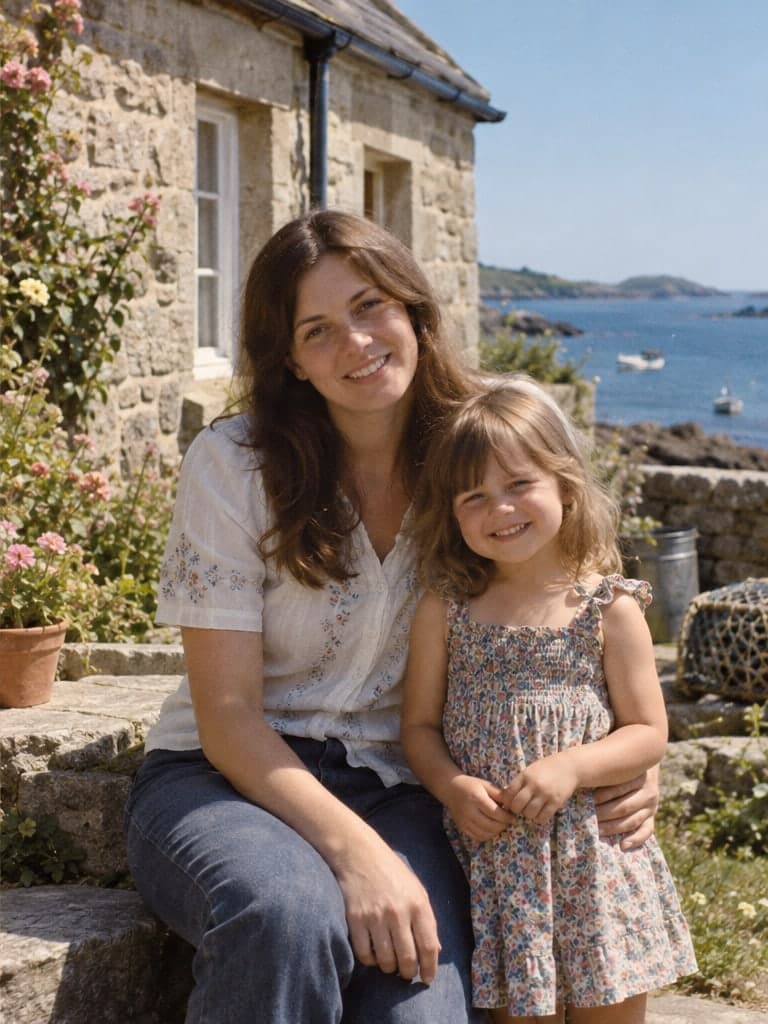 Before · illustrationAfter · illustration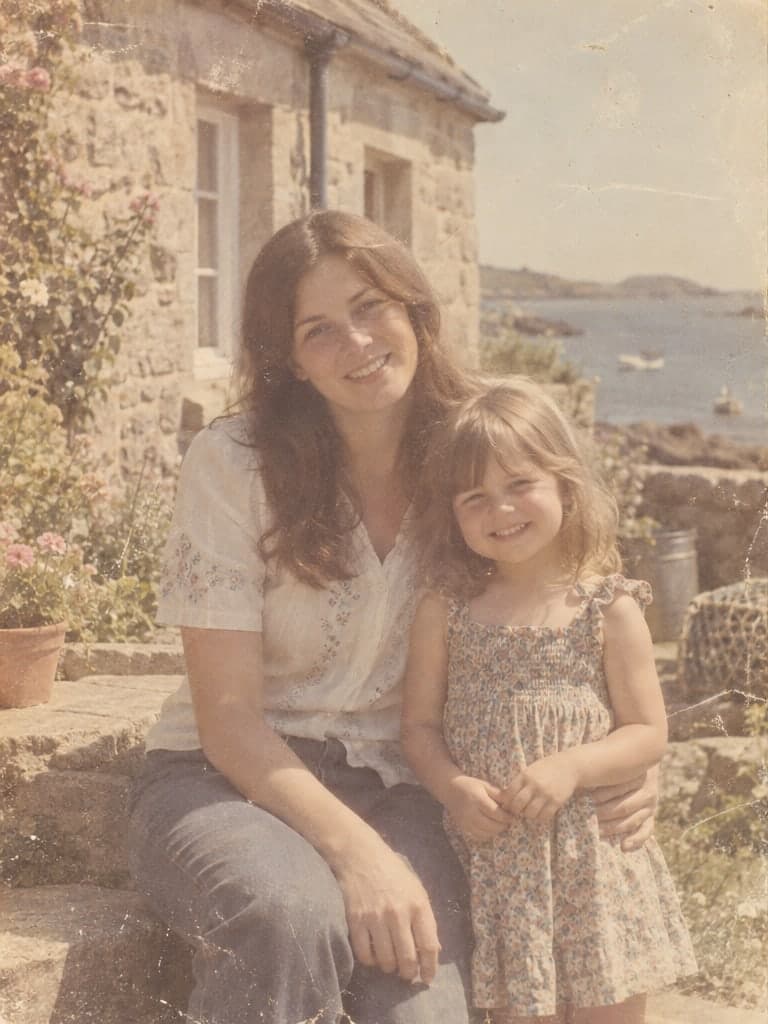
Drag the round handle to compare before and after
01What it fixes
The usual damage in old photos, handled
Scan or photograph an old print and most common damage can be treated. Choose basic repair only, or add color to black-and-white photos.
Scratches & creases
Removes scratches, creases, cracks and mold spots while keeping the photo's original texture.
Fading & yellowing
Corrects yellowing, color casts and fading to bring back depth.
Blur & noise
Sharpens slightly blurry outlines. When blur is severe, details can only be guessed by AI.
Colorization (optional)
Adds color to black-and-white photos. The colors are inferred, not a record of the past.
AI restoration is coming soon; the above is what we plan to offer.
02How it works
Three steps to a clearer old photo
- 01
Choose a photo
Upload a scan or a phone photo of the print. JPG, PNG and WebP are supported.
- 02
AI restores it
Pick what to fix and the AI repairs scratches, fading and other damage.
- 03
Compare, then download
Download restored photos individually. Originals and results on the server are kept for 3 days after the task finishes. Download them before expiry; you can delete them sooner.
03Plain talk
AI restoration isn't magic
We'd rather you know what it can and can't do before you start.
Sharper isn't truer
Where a photo is blurry, AI guesses the details, so faces may not look exactly like the person. Check the result against the original.
Learn moreColors are inferred
Black-and-white photos never recorded color. Colorization is the AI's guess and isn't historical evidence.
Learn moreThe original stays the original
A restoration creates a new version without overwriting your original. Originals and results on the server are kept for 3 days after the task finishes. Download them before expiry; you can delete them sooner.
Learn more
04Privacy
Your photos belong to you
Old photos hold family faces and private memories, so we explain up front how photos are handled.
Photos stay on your device
Until AI restoration opens, photos you choose open only in your own browser. They're never sent to a server or to any AI service.
We explain before you upload
Selecting a photo previews it in your browser. Starting a restoration uploads it to the server and sends it to the selected AI service. Originals and results on the server are kept for 3 days after the task finishes. Download them before expiry; you can delete them sooner.
No other uses
We never use your photos for model training, analytics or public display.
05Pricing
Pay per photo, no subscription
View restoration credits and current product prices. Check the pricing page for purchase availability.
Single photo
Price not listed
For restoring one especially precious photo.
Includes 1 restoration credit
Family album
Price not listed
For restoring a whole set of family photos at once.
Includes 10 restoration credits
06FAQ
Things you may want to know first
What is TimeMend?
TimeMend is an online tool for restoring old photos. It reduces scratches, creases, stains and fading, and can optionally add color to black-and-white photos. You can compare before and after side by side, and your original is never overwritten.
Can I restore photos right now?
The studio shows whether AI restoration is available. Local photos can be previewed first; they upload only when you start a restoration. Regular users use 1 credit per photo, returned if restoration fails.
What problems can AI restoration fix?
Restoration is designed to address four kinds of problems: scratches, creases and cracks; fading, yellowing and color casts; slight blur and noise; and, optionally, colorizing black-and-white photos. If a large part of the photo is missing, such as half a face torn away, the AI can only guess what was there, and the result may not be reliable.
Will restoration change how people in the photo look?
It can. When filling in blurry or damaged features, the AI infers details from what it learned from many faces, so eyes, mouth shape, teeth or glasses may come out different from the real person. Check the result carefully against the original. If accuracy matters most, use basic repair only and keep the original.
Are the colors in a colorized black-and-white photo real?
Not necessarily. Colorization is the AI's guess based on what's in the picture, so the colors of clothes, walls and objects may differ from what they actually were. It's good for bringing a photo to life, but not as historical evidence. If someone in the family remembers the real colors, trust their memory.
07Guides
Keep old photos safe and restore them well
How should you scan or photograph old photos for the best restoration?
Restoration quality depends heavily on the original image. This guide covers the settings and techniques for digitizing old photos with a scanner or a phone, and the common mistakes that make restoration worse.
ReadCan AI photo restoration change what people look like?
Why does AI restoration sometimes make people in a photo look like someone else? This guide explains why it happens, which features are most affected, and how to reduce the difference.
ReadWhen AI colorizes a black-and-white photo, are the colors real?
Where do the colors AI adds to black-and-white photos come from? Which colors are fairly reliable, which tend to be wrong, and what should you keep in mind before and after colorizing?
Read
Start with one old photo
Find the photo in the album you most want to see clearly, and take a look at it in the studio.
Open the studio